How to edit a cloud phone environment?
Written By Penny
Last updated 3 months ago
In your environments list, click the "⋮ " icon to see operation options. The first one is edit.
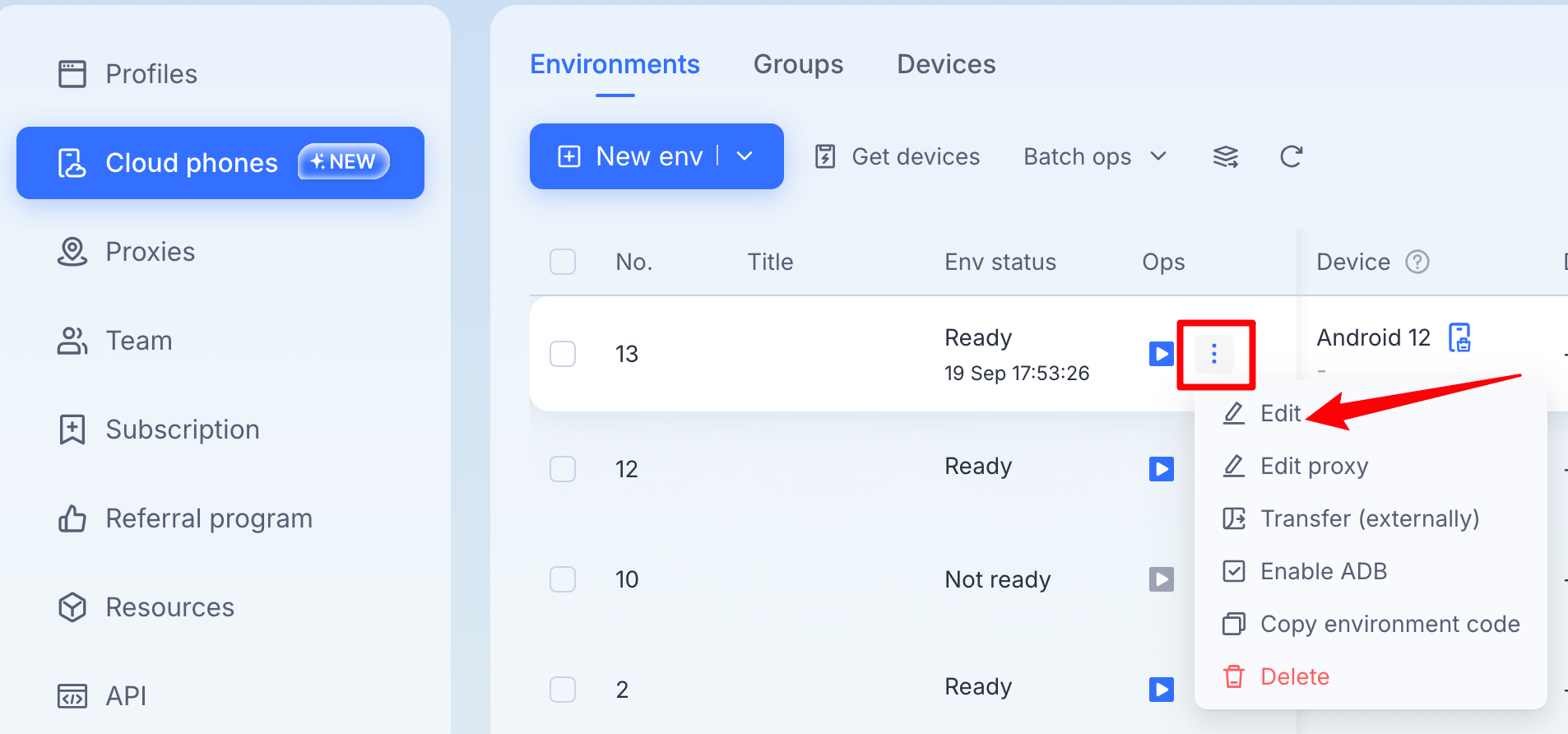
After clicking Edit, you will be directed to a secondary page like below:
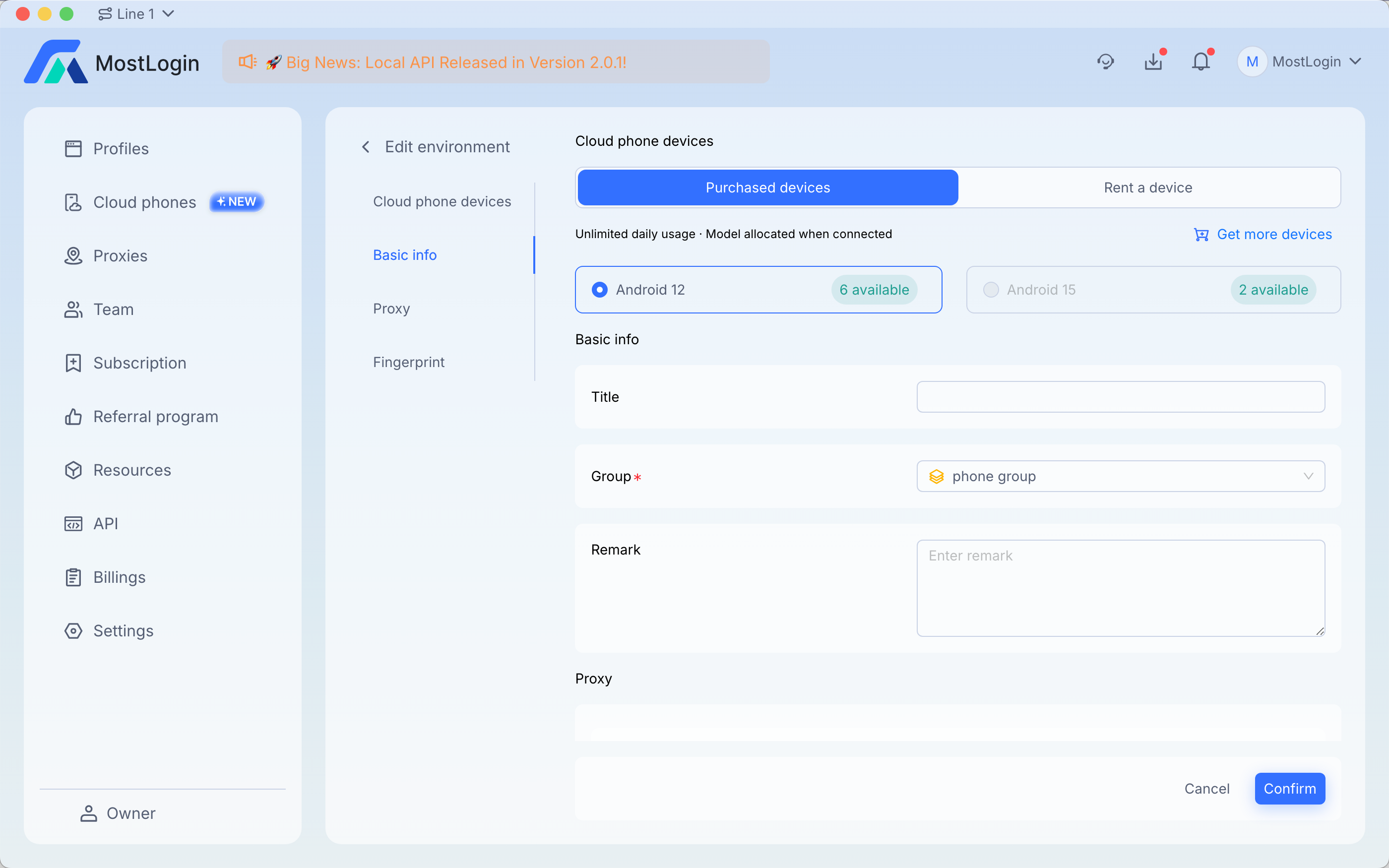
There are 4 sections in the cloud phone environment editing page: Devices, Basic info, Proxy and Fingerprint.
The principle of editing the information is the similar to creating a new environment except that when your editing, proxy is require. You won't see the set up later option.
For changing an environment's device type, you can switch from purchased to rental, but switching from Android 15 to Android 12 is not supported, because the device type has already been applied in this environment. If you need a different device type, you will need to create a new environment.