Proxy bypass
Written By Penny
Last updated 4 months ago
Proxy Bypass Settings Guide
Configure domain exceptions to route specific web traffic through your local direct network instead of your assigned proxy. This helps save proxy data bandwidth and accelerates connection speeds for trusted background services.
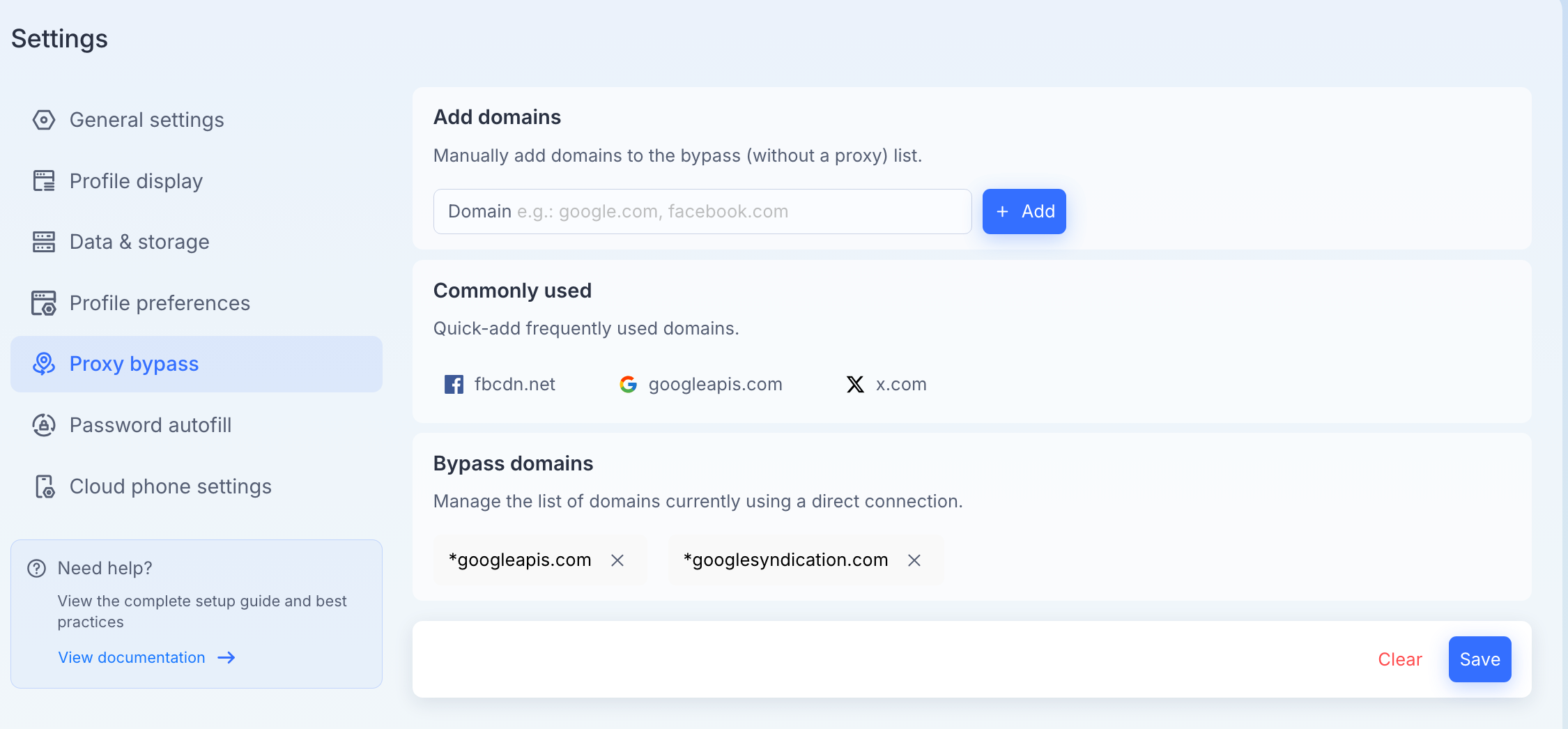
To access these options, go to Settings on the left sidebar and select Proxy bypass.
What is a Proxy Bypass?
By default, all internet traffic inside a browser profile runs through its configured proxy. Adding a domain to the bypass list means the browser will connect to that specific website using your real, local internet connection (direct connection) without changing your proxy setup for other sites.
1. Add Domains
Manually specify websites or web services that should always use your direct local network.
How to add: Type the domain address (e.g.,
google.comorfacebook.com) into the input field and click the + Add button.Use commas or spaces to add multiple domains at once.
2. Commonly Used
Quickly include frequently bypassed essential domains with a single click. These assets often consume a high volume of background data or do not require proxy protection to function properly:
fbcdn.net: Facebook's Content Delivery Network, used for loading images and media assets.
googleapis.com: Core background API services for Google web applications.
x.com: The official domain for X (formerly Twitter).
Click on any of the listed icons to instantly move that domain into your active bypass list.
3. Bypass Domains
Manage and review your active exceptions list. Websites shown in this section are currently using your direct local network connection.
Wildcard Matching: MostLogin automatically prepends an asterisk (
*) to added domains (e.g.,*googleapis.com). This ensures that all subdomains (such asapi.googleapis.comorstorage.googleapis.com) are securely bypassed as well.Removing a Domain: Click the small close
(X)icon next to any domain tag to remove it from the exception list, routing its traffic back through your profile's proxy.Clear: Click the red Clear text at the bottom right to empty your entire bypass list.
⚠️ Important Note: Make sure to click Save at the bottom right corner after adding or removing domains to apply your updated network configuration rules across your active browser profiles.
Was this helpful?
Still need help? Ask the team