Cryptocurrency payment issues
Written By Penny - Product specialist
Last updated About 2 hours ago
How to verify a pending cryptocurrency payment
If you have paid with cryptocurrency but your payment has not been credited to your MostLogin account, you can manually verify the transaction through the Payment verification page.
1. When should I verify my payment?
If your cryptocurrency payment is still pending or your balance has not been updated after payment, you can initiate a payment verification check.
For example, you may see a Payment issue message and a Pending status under Recent order activities on your MostLogin Dashboard.
Cryptocurrency transactions may take some time to confirm, depending on the blockchain network. If your payment has not been credited, follow the steps below to verify it.
2. How to verify your payment
Step 1: Open your MostLogin Dashboard
Log in to your MostLogin account and go to the Dashboard.
Step 2: Find your pending payment
Under Recent order activities, locate the cryptocurrency payment that has not been credited to your account.
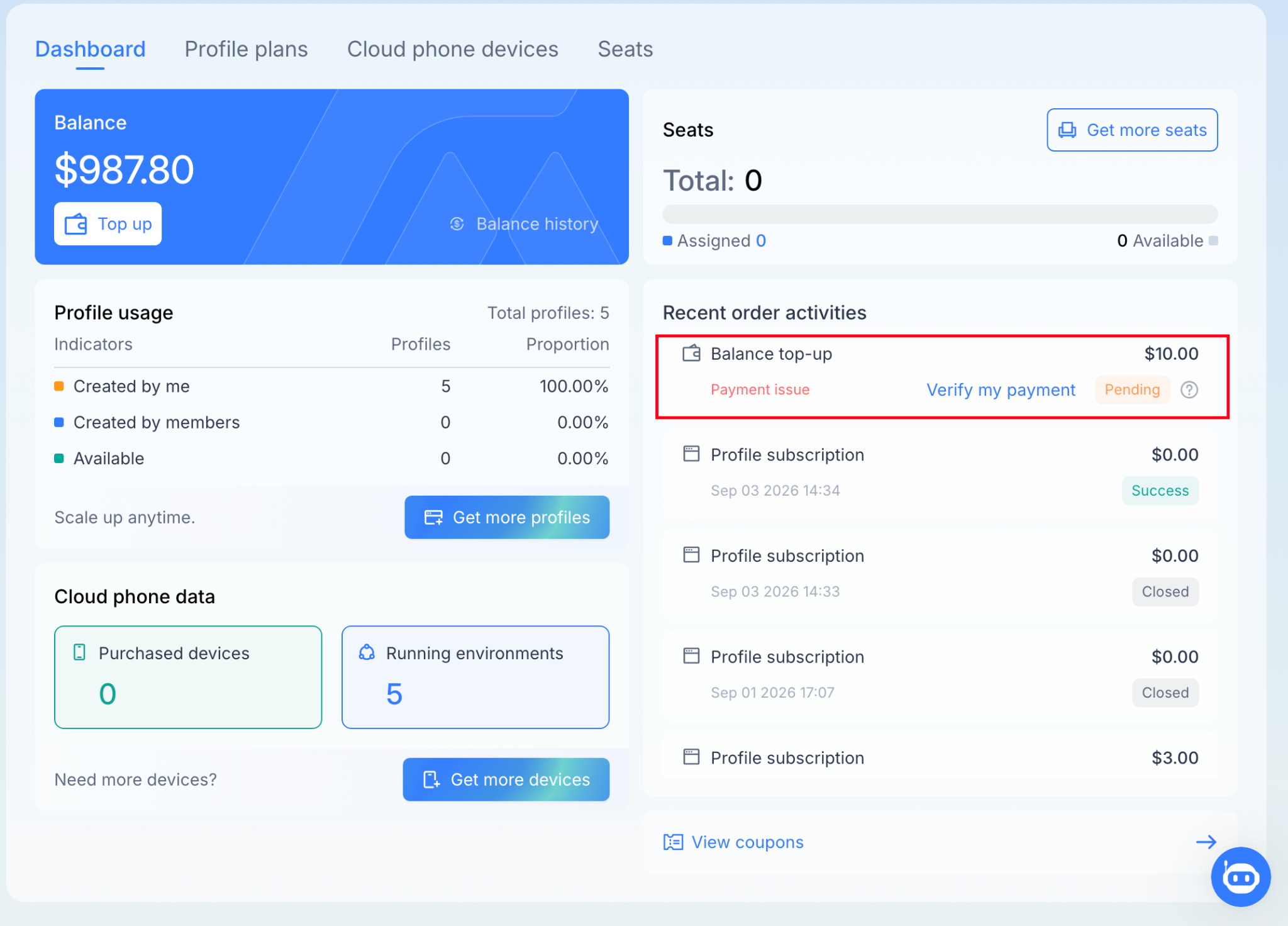
Step 3: Click “Verify my payment”
Click Verify my payment next to the pending order. You will be redirected to the Payment verification page.
You can also open the verification page using the link provided for your specific payment order.
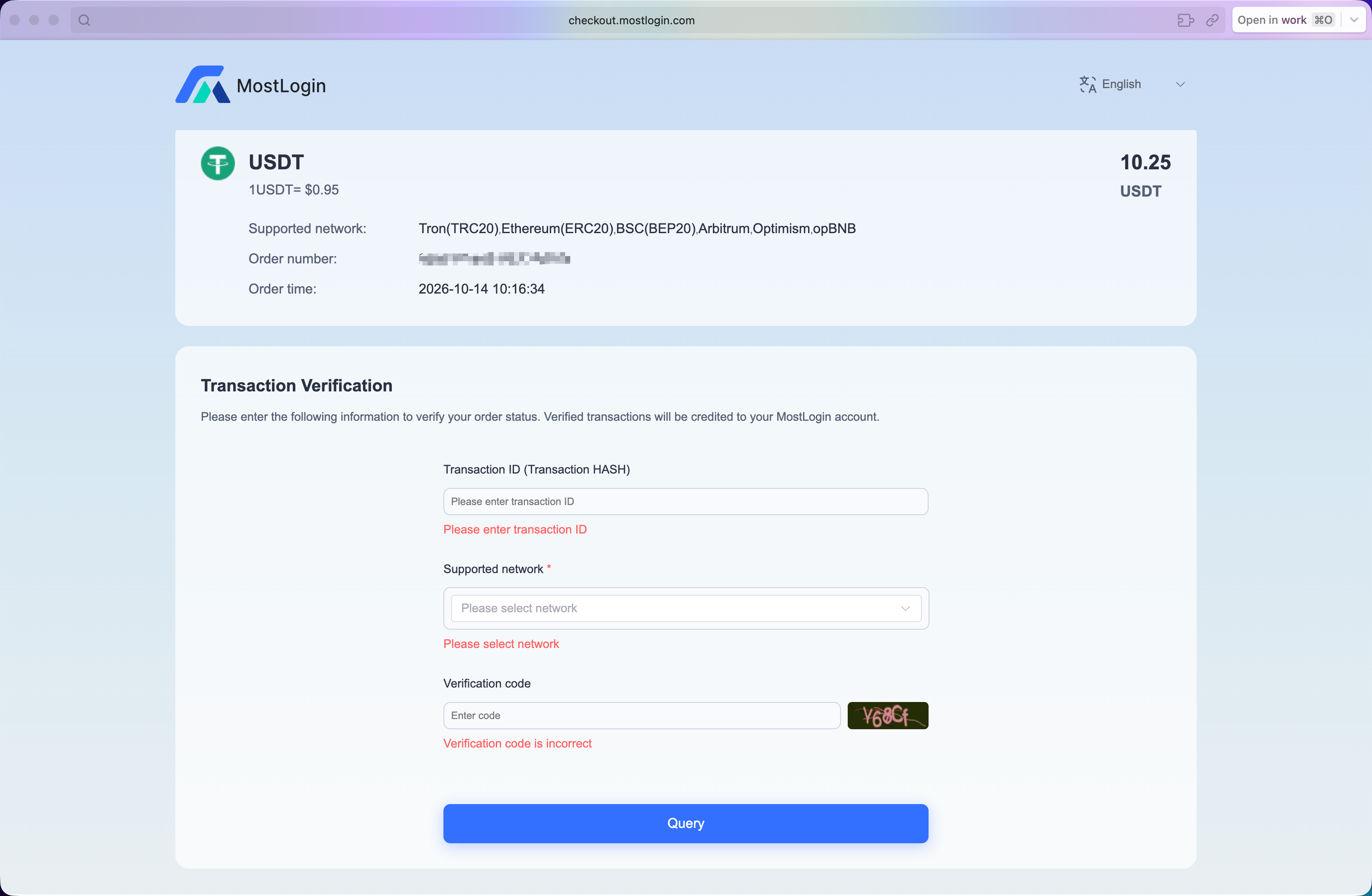
Step 4: Complete the verification
Follow the on-screen instructions on the Payment verification page to check your transaction status.
Make sure the transaction details correspond to your actual payment.
Step 5: Check your payment status
After completing the verification, return to your MostLogin Dashboard and check whether the payment status has been updated and the funds have been credited to your account.
3. What if my payment is still pending?
If your payment remains pending after verification:
Allow more time: The transaction may still be awaiting blockchain confirmations.
Check your transaction: Make sure the transaction was submitted successfully and that the transaction details match your payment order.
Contact support if needed: If the payment has been confirmed on the blockchain but your MostLogin balance has not been updated, contact MostLogin Support and provide your order ID and transaction hash (TXID), if available.
4. Important notes
Do not make another payment for the same order unless you have confirmed that a new payment is necessary.
Blockchain confirmation times vary depending on the network and its current conditions.
Keep your transaction hash (TXID) for reference when contacting support.
If your payment is still not reflected in your account after following these steps, please contact MostLogin Support at our telegram group for further assistance.
Was this helpful?
Still need help? Ask the team