How to upgrade my current profile plan?
Written By Penny
Last updated 3 months ago
Upgrade profile plan
When you sign up with MostLogin, before upgrading to any other plans, your plan will be Starter plan, which contains 5 free profiles.
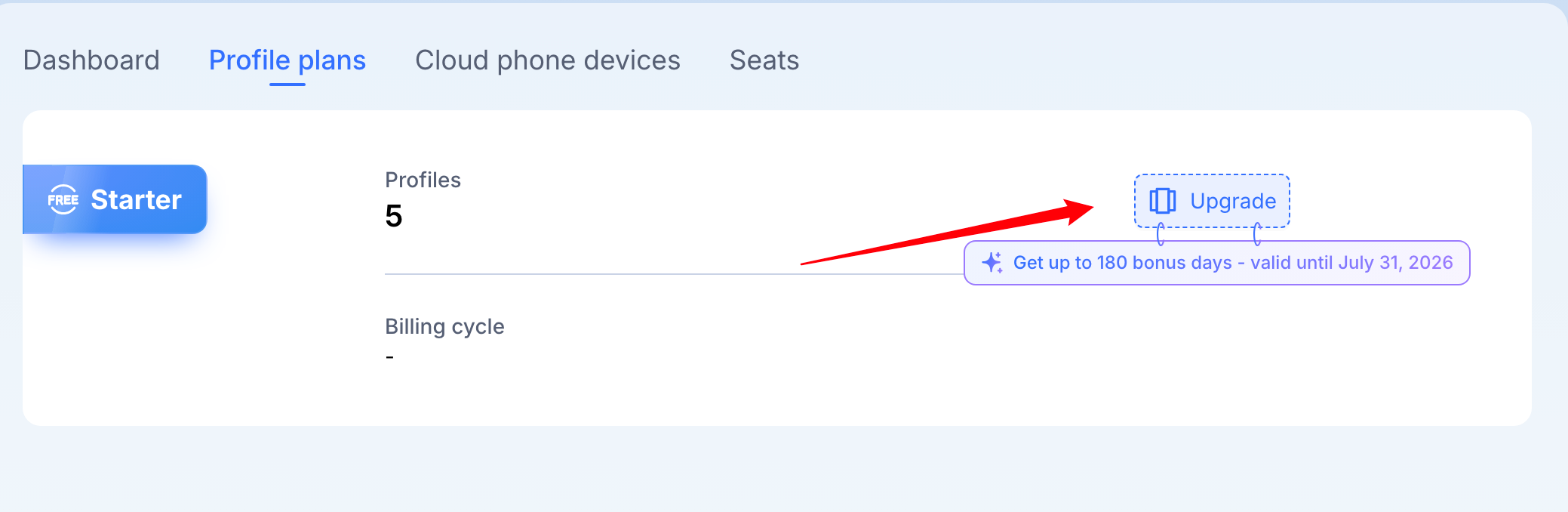
If you want to use more profiles, you can upgrade your plan to either [Team], or [Pro] or [Enterprise] by clicking the [Upgrade] button.
Choose how many profiles best fit your specific requirements best.
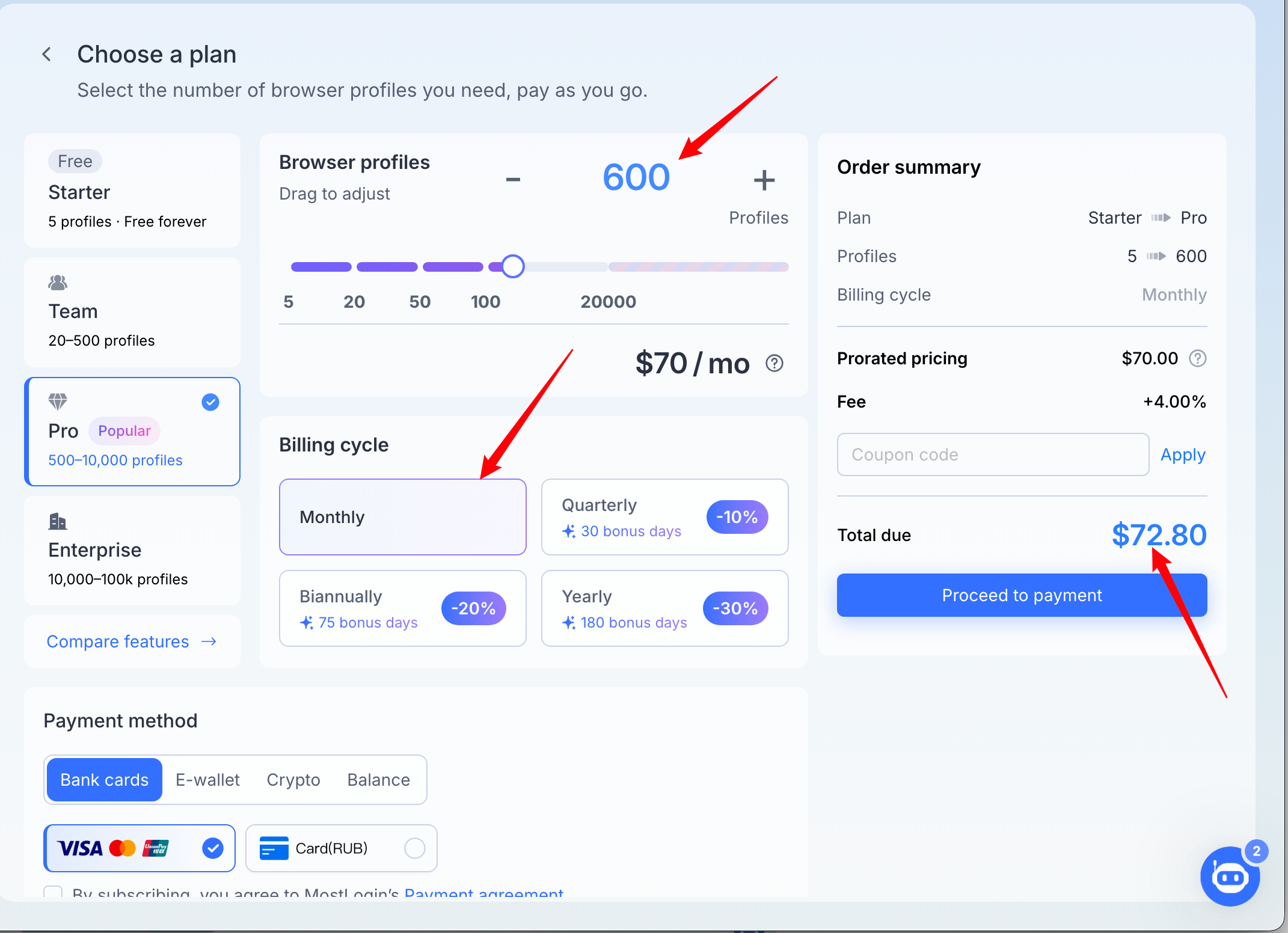
Review payment summary:
On the right side of the screen, the "Order summary" provides a breakdown of your current transaction:
Subtotal: This is the total cost of the profiles you've configured.
Fee: This section will display any additional transaction fees, if applicable.
Total: This is the final amount you will be charged for this transaction.
Still need help? Ask the team